 [
[|
|
Legacy Silkscreen
Important Notice to Protocase Designer 3 users.
For Protocase Designer 3 users, we have released a new version of Protocase Designer and encourage you to upgrade in order to take advantage of new features Click here to download release version 4.1 General Tips For Silkscreens:
Recommended Silkscreen Editors: 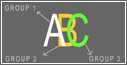 Silk screening, also known as screen-printing or serigraphy, is a printing technique that involves passing ink through a porous fabric, thus creating a sharp-edged single-color image created from a stencil.
Read More.
Silk screening, also known as screen-printing or serigraphy, is a printing technique that involves passing ink through a porous fabric, thus creating a sharp-edged single-color image created from a stencil.
Read More.
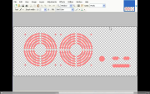
Silkscreen Video Tutorial (updated March 2010)
|
 Protocase Designer North America
 Toll Free: 1-866-849-3911
Email: info@protocasedesigner.com
The fastest and easiest way to design, price and build custom electronics enclosures.
- Free Downloadable 3D Enclosure Design Software
- Fast and Easy Design
- Instant Price Quotes
- Buy Your Custom Enclosure Online With 2 - 3 Day Turnaround